

CCTV Camera Repair Service in Dhaka
CCTV not recording, a camera dark at night, or the phone app stopped showing video? We repair CCTV cameras and DVR/NVR recorders in Dhaka for homes, shops and offices, and help you save important footage before it's lost.
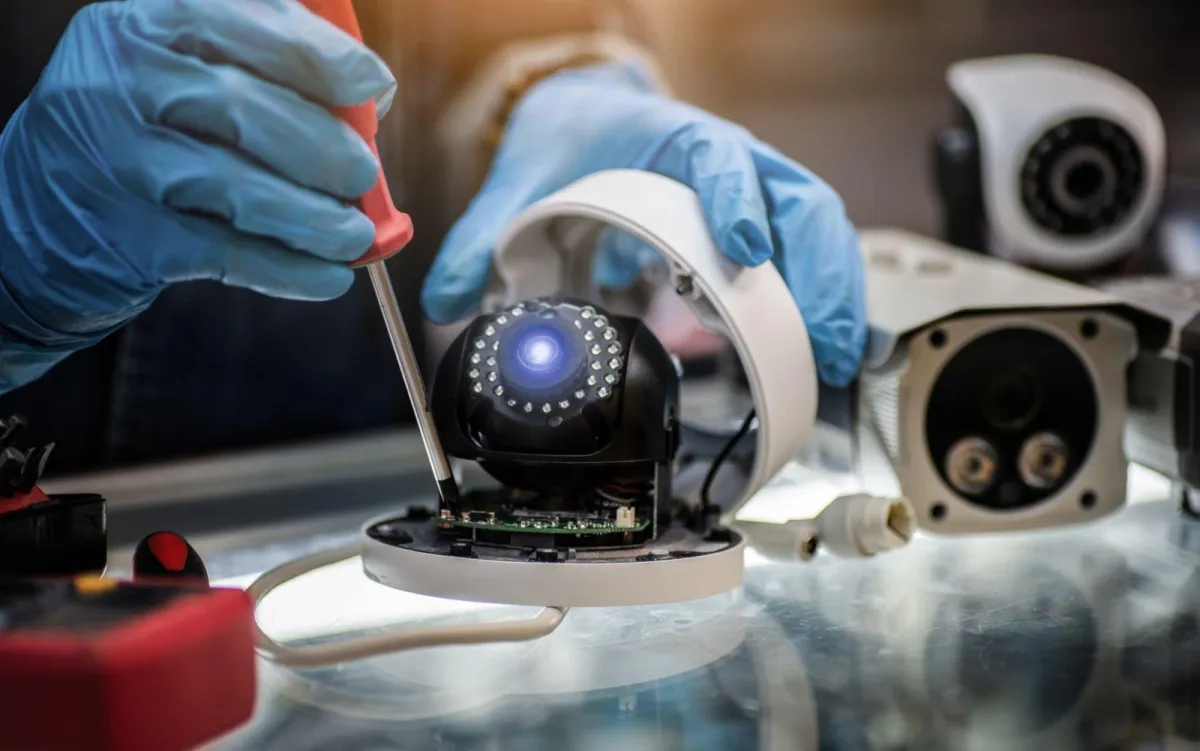
What we fix
- DVR / NVR not recording
- Hard disk full, failed or not detected
- Camera dark, blurry or black at night
- Camera offline or "no video"
- Phone app (remote view) not working
- Power and cable problems
- Saving footage after an incident
- Adding new cameras to an old system
Most people find out their CCTV wasn't recording on the worst possible day: right after something happened. This page will help you avoid that, and tell you what to do if a camera or the recorder has stopped working.
Something happened? Save the footage first
A CCTV recorder keeps recording in a loop. When its hard disk is full, it deletes the oldest video to make room for new video. So the footage you need is safe only for a limited time. If you need a recording, act now:
- Don't switch off or restart the recorder (the DVR or NVR box), and don't unplug the hard disk.
- Write down the camera and the exact time you need, as close as you can.
- Copy the clip to a USB drive from the recorder's playback menu, if you know how. Copy a bit before and after the time.
- Not sure how, or the recorder isn't working? Call us straight away. We can come and help you get the clip out before it's overwritten.
Check your CCTV once a month (2 minutes)
A quick check every month catches most problems before they cost you:
- Play back yesterday on every camera, not just the live view. Live view can work even when recording has stopped.
- Look at the oldest recording. Go back in playback until the video ends. That tells you how many days your system really keeps.
- Check each camera at night. Night vision often fails first, and you won't notice it in daylight.
- Open the phone app away from home to make sure remote view still works.
Common CCTV problems and what they usually mean
Live view works, but nothing is recorded
The hard disk has failed, isn't detected, or the recording settings changed after a power cut. CCTV recorders write video all day and all night, which is hard on a normal computer hard disk. Surveillance hard disks are built for this kind of round-the-clock recording, and they last much longer in a DVR or NVR.
One camera shows "no video" or is offline
If only one camera is out, the problem is usually that camera's cable, its power adapter, or a loose connector, not the recorder. On IP cameras, it's often the network cable or the switch port.
The picture is fine by day but black at night
The infrared lights around the lens have failed, or a spider web or dust in front of the lens is reflecting the light back. Cleaning sometimes fixes it. Otherwise the IR board or the camera needs replacing.
The picture is blurry or foggy
Dust, rain marks or moisture inside the housing. In the monsoon, water can get into outdoor cameras through a cracked seal or an open cable entry.
All cameras went down at once
Look at the power first: the power supply box, the adapter, or the recorder itself. A power cut or voltage jump is a common trigger. A small UPS for the recorder keeps it recording through short power cuts.
The phone app stopped showing video
Often it's the internet: a new router, a changed Wi-Fi password, or a new internet provider. We set the remote view up again on the brand's own app.
Lost the recorder password?
We can help reset it on most systems. For your security, we'll ask you to show that the system and the premises are yours before we do.
Brands and systems
We work on Hikvision, Dahua, Jovision, CP Plus and Uniview systems, both older analog cameras with a DVR and IP cameras with an NVR. We can also add new cameras to an existing system.
Homes, shops and offices
CCTV work is done on site, at your home, shop or office in Dhaka. Recorders that need board repair come to our shop at House #873 (2nd Floor), East Sawrapara, Mirpur, Dhaka-1216.
Call +88 01310-280-374 or WhatsApp +88 01310-280-374. Tell us the brand of the recorder, how many cameras you have, and what's wrong. A photo of the screen helps. Hours: Sat–Thu: 10:00 AM – 9:00 PM · Friday closed. Need a UPS for your recorder? See our UPS repair service.
CCTV Servicing — FAQ
Something happened and I need the CCTV recording. What should I do?
My CCTV shows live video but doesn’t record. Why?
How many days does my CCTV keep recordings?
Why is my camera black at night?
My CCTV app stopped working on my phone. Can you fix it?
Can you reset a lost DVR password?
Can you add cameras to my old system?
Reviews
No reviews yet. Be the first to share your experience!
Need a repair or service today?
Call us or send your device details — our engineer will get back to you quickly.