

Monitor Repair Service in Dhaka
Monitor dark, flickering, showing lines or no display? First find out if it's the monitor, the cable or the computer. If it's the monitor, we repair LED and LCD monitors in Dhaka and tell you the price before we start.
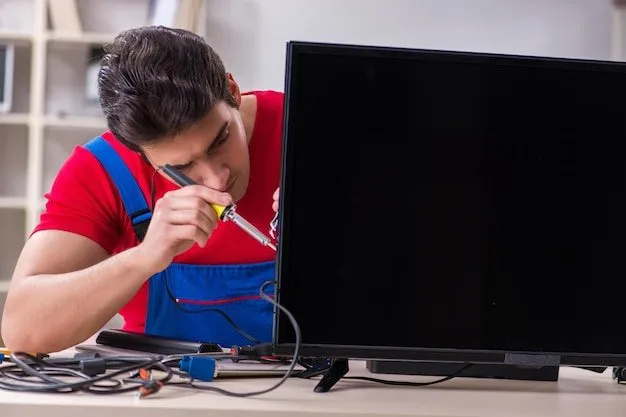
What we fix
- No power, no light
- Dark screen with a faint picture (backlight)
- Flickering and brightness problems
- Lines, wrong colours, stuck pixels
- "No signal" and port problems (HDMI, VGA, DP)
- Damage after a power cut or voltage jump
- Gaming and office monitors
- Several office monitors in one visit
Many monitors that people call "dead" aren't the problem at all. The real fault is a loose cable, a wrong input setting, or the computer itself. Before you pay for a repair, spend two minutes on the tests below. If the monitor really is faulty, we fix it, and in most cases we fix only the small board that failed, not the whole screen.
Three quick tests before you call
- Check the input. Press the monitor's menu or input button and make sure it's set to the cable you're using (HDMI, VGA or DisplayPort). A wrong input shows "no signal" even when everything works.
- Swap the cable. Try another display cable if you have one. Cables break inside, especially cheap VGA cables, and the monitor gets the blame.
- Try another computer or a laptop. Connect the monitor to a laptop. If the picture comes, the monitor is fine and the problem is in the PC, and our desktop repair service can help instead.
Still no picture? Then it's the monitor. Here's what the signs usually mean.
Monitor problems, answered
The screen is dark, but I can see a faint picture
Shine a phone torch on the screen at an angle. If you can make out the desktop or the text, the panel is working and only the light behind it, the backlight, has failed. This is one of the most common monitor faults, and it's usually repairable without changing the screen.
There's no light at all, not even the power light
Check the power cable and the wall socket first. If they're fine, the power board inside the monitor has usually failed. It's often the first part hit after a power cut or a sudden voltage jump.
The screen flickers or the brightness keeps changing
If it flickers on every computer you try, the backlight or power board is getting weak. If it only flickers on one computer, the cable or the graphics settings are the more likely cause.
There are lines or wrong colours
Lines that change when you press gently near the edge of the screen often point to a loose connection inside. Lines that never change, or a big patch of wrong colour, usually mean the panel itself is damaged. A cracked panel can be replaced, but on a small or older monitor, a new monitor can cost about the same. We'll show you both prices.
One or two tiny dots never change
Those are stuck or dead pixels. They're part of the panel, so they can't be repaired on their own. A few dots near the edge are something most people live with. If they're in the middle and bother you, panel replacement is the only real fix.
Repair or buy a new monitor?
Repair is worth it when a board has failed: the power board, the backlight driver, or the parts that connect to the panel. These are much cheaper than the screen. A new monitor makes more sense when the panel is cracked on a small or old model. We tell you which case you're in before any work starts.
Gaming monitors and office screens
We repair everyday office monitors and gaming monitors from Samsung, LG, Dell, HP, Asus, Acer and BenQ. For offices with many screens, we can check them together in one visit and give you a list of what each one needs.
At your place or ours
Many monitor faults can be checked at your home or office in Dhaka. Board-level repairs are done at our shop at House #873 (2nd Floor), East Sawrapara, Mirpur, Dhaka-1216, and we bring the monitor back tested.
Call +88 01310-280-374 or WhatsApp +88 01310-280-374. Tell us the brand, the size and what the screen does. A short video helps. Hours: Sat–Thu: 10:00 AM – 9:00 PM · Friday closed.
Monitor Servicing — FAQ
My monitor says “no signal”. Is it broken?
My monitor is dark but I can see a faint picture. What’s wrong?
My monitor stopped working after a power cut. Can it be fixed?
Can dead pixels be repaired?
Is it worth repairing an old monitor?
Do you repair gaming monitors?
Can you check all the monitors in our office?
Reviews
No reviews yet. Be the first to share your experience!
Need a repair or service today?
Call us or send your device details — our engineer will get back to you quickly.