
Table of Contents
Buying a printer looks simple until you stand in front of twenty models, all at different prices, each claiming to be the best. The truth is, the right printer depends on just a few things: what you print, how much you print, and what else you need it to do. Answer the five questions below and you'll know which kind to buy, and which features are worth paying for.
Answer these 5 questions first
- What will you print? Mostly text documents, or also colour pages and photos? Colour narrows it down to ink tank or colour laser printers.
- How many pages a month? A student printing a few assignments needs a very different printer from an office printing hundreds of invoices.
- Do you need to scan or copy? If yes, buy an all-in-one (printer + scanner + copier). It costs a bit more than a print-only model, but far less than buying a scanner separately.
- How will you print? From one computer with a cable, from several computers, or from mobile phones? Several users or phones means you want Wi-Fi.
- What will it cost to run? The printer is a one-time cost. Ink or toner is what you keep paying for, so check the price and page yield of the refill before you buy.
Which printer is right for you?
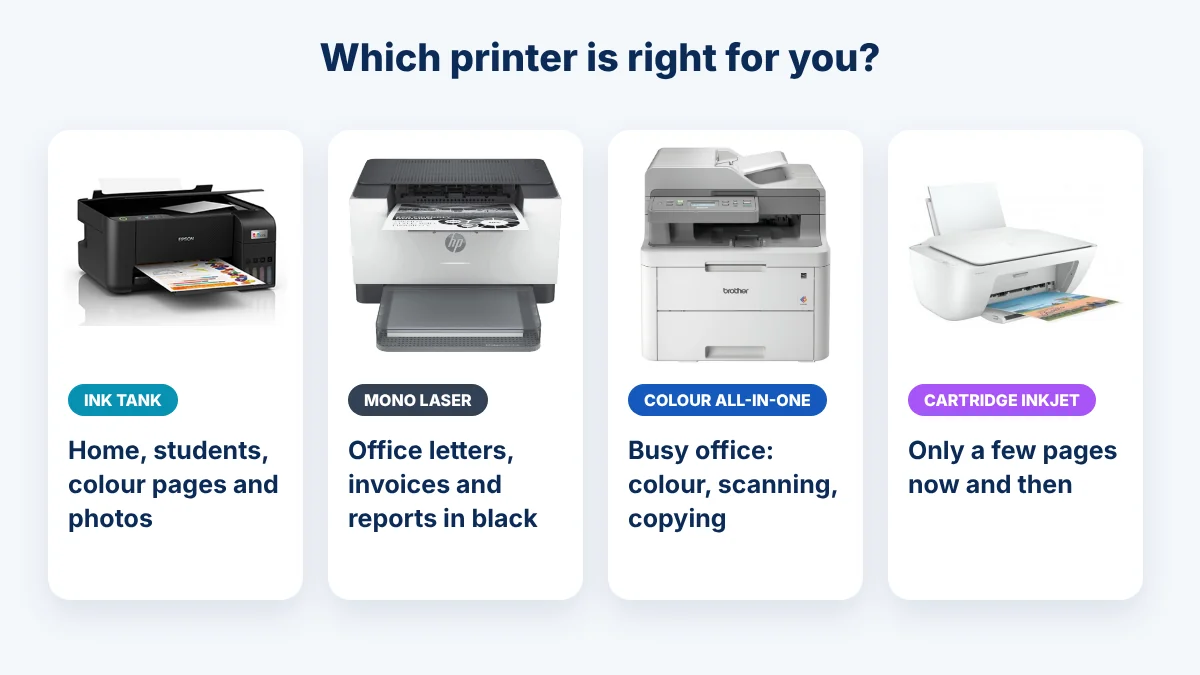
| If you… | Buy this kind | Examples |
|---|---|---|
| Print at home, including colour pages and photos | Ink tank printer | Epson L-series (EcoTank), Canon PIXMA G-series |
| Print mostly black text: letters, invoices, reports | Mono laser printer | HP LaserJet, Canon LBP2900B, Brother HL-L series |
| Run an office that prints colour and scans a lot | Colour laser all-in-one | Canon i-SENSYS MF colour, Brother DCP-L3551CDW |
| Print only a few pages now and then | Cartridge inkjet | HP DeskJet, Canon PIXMA |
You can browse the printers we sell in our printers for sale and rent section, or by brand: Epson, Canon, HP and Brother.
Ink tank or laser? Think about running cost
The cheapest printer to buy is not always the cheapest to own. What matters is how many pages one refill gives you, called the page yield.
- Ink tank: one set of Epson 003 ink bottles is rated for about 4,500 black pages and 7,500 colour pages. That's why ink tank printers are popular for homes and small shops that print in colour.
- Mono laser: toner prints sharp black text fast, and it never dries out, even if the printer sits unused for weeks. But small entry-level toners give fewer pages. HP's 141A toner for the LaserJet M110 and M111 series, for example, is rated at about 950 pages.
- Cartridge inkjet: cheap to buy, but small cartridges run out quickly. Good only if you print very little.
So, before buying, ask the price of the refill ink or toner for that exact model, and check that it's easy to find in Dhaka.
Features worth paying for
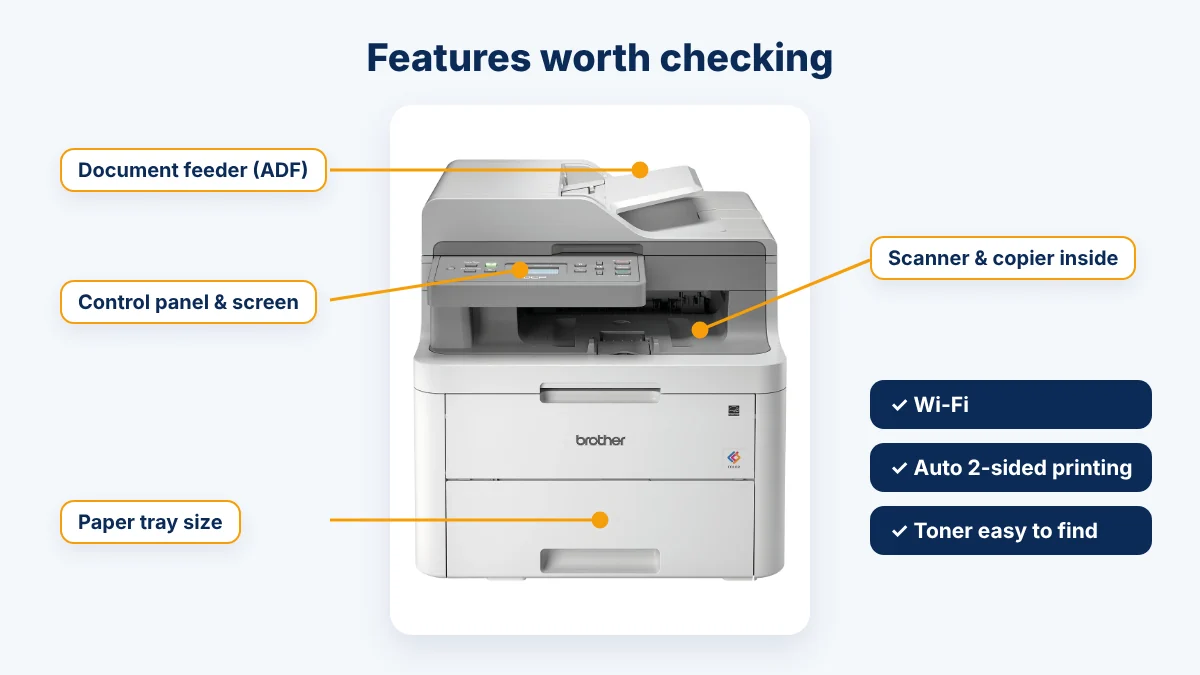
- Automatic two-sided printing (duplex): prints on both sides without you turning the pages. Saves paper and time in an office.
- Wi-Fi: print from several computers and from phones, with no cable to each desk.
- Document feeder (ADF): on all-in-ones, it scans or copies a stack of pages by itself. Without it, you place each page on the glass one by one.
- Bigger paper tray: fewer refills of paper in a busy office.
- A3 printing: only if you really need big sheets, like for drawings or charts. A3 printers cost noticeably more.
Skip what you won't use. A home user rarely needs a document feeder, and a one-person office rarely needs a huge paper tray.
Power cuts: don't plug a laser printer into a UPS
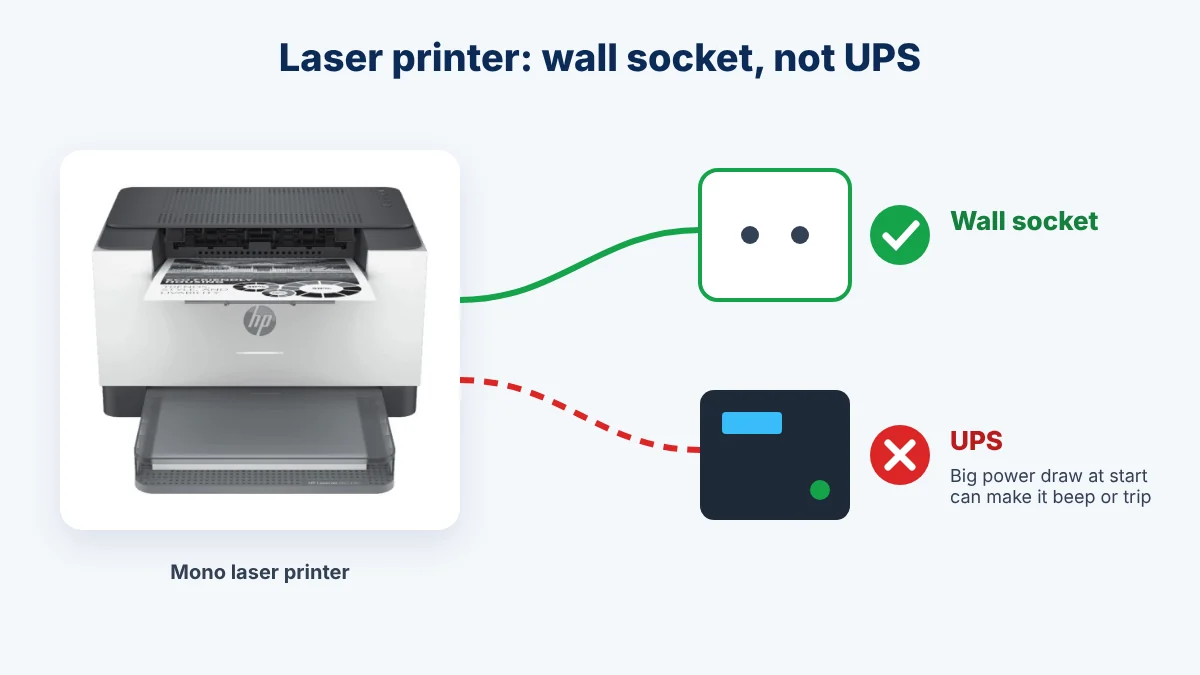
Many offices in Bangladesh plug everything into a UPS. For a laser printer, that's a mistake. The part that heats and fixes the toner draws a lot of power the moment it starts printing. HP's own support team advises plugging LaserJet printers directly into a wall socket, because this sudden draw can make the UPS beep, trip or wear out. If you buy a laser printer, plan for a wall socket near it.
Before you pay: check these at the shop
- Ask for a test print on the actual unit you're buying.
- Check the warranty: how long, and where you take it if something goes wrong.
- Ask the price of the ink or toner for that model, and whether it's in stock.
- Make sure the box has the power cable, USB cable (some models don't include one) and the starter ink or toner.
- Keep the invoice and box until the warranty ends.
New to printers? Our step-by-step guide How to Use a Printer walks you through the first day of setup.
Need help choosing?
Tell us what you print and roughly how many pages a month, and we'll suggest the right printer for your budget. Call +88 01310-280-374 or message us on WhatsApp at +88 01310-280-374. And if your current printer just needs fixing, see our printer repair service first. Sometimes a repair is all you need.
Frequently Asked Questions
Which printer is best for home use in Bangladesh?
Ink tank or laser printer: which is cheaper to run?
Do I need an all-in-one printer?
Can I connect a laser printer to a UPS?
Is Wi-Fi important in a printer?
What should I check before paying for a printer?

Printer, photocopier and IT service engineers in Mirpur, Dhaka. We write these guides from our everyday repair work.
Comments
No comments yet. Ask a question or share your experience!